WordPress comes with a user role management system which defines what other people access so they can manage, edit or contribute to your site, WordPress user roles and permissions let you control what users can and can’t do in WordPress dashboard for this follow below steps.
You will find this option in WordPress Dashboard -> Navigate to WP Quads –> Settings -> Select Role based Access option
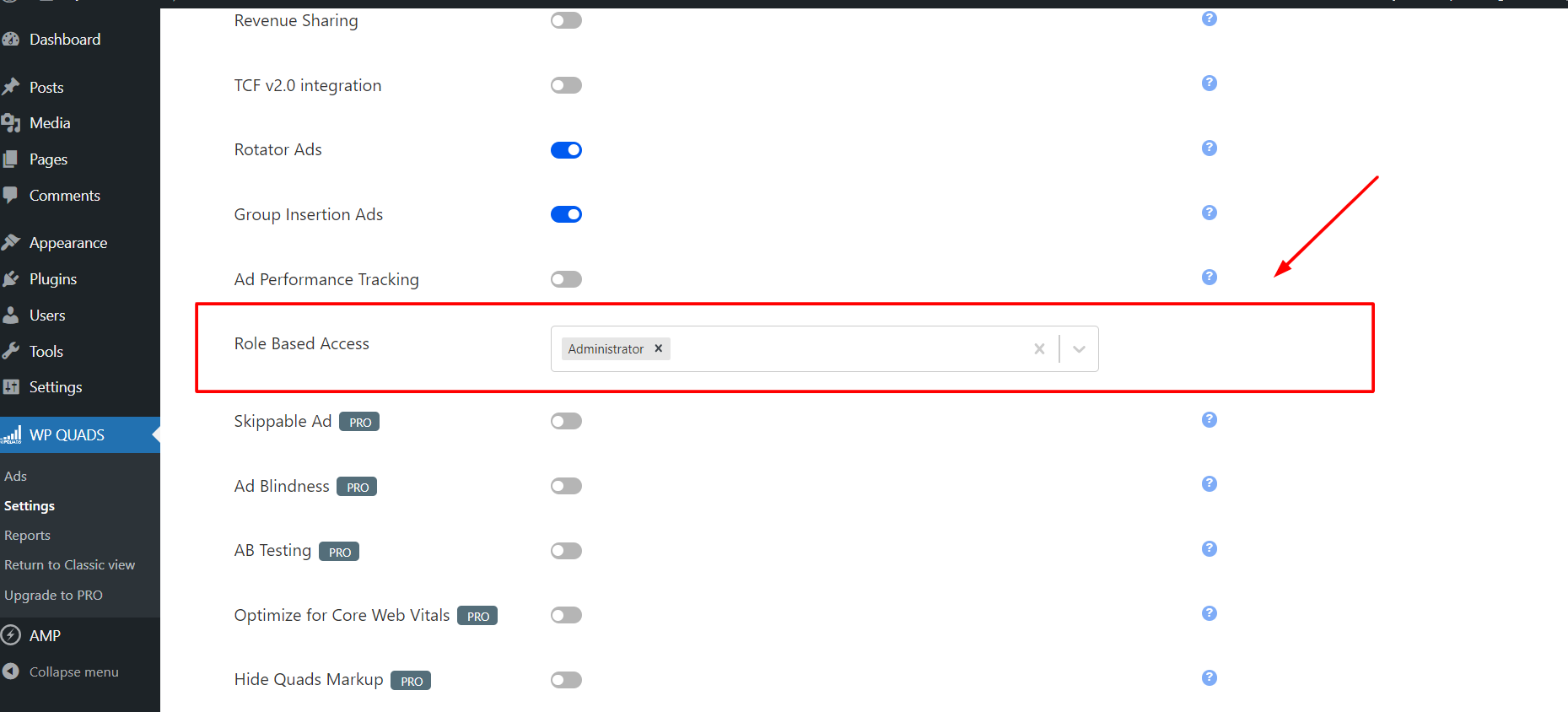
Here we can select which user role can access the WPQuads plugin’s panel as shown in the image below.
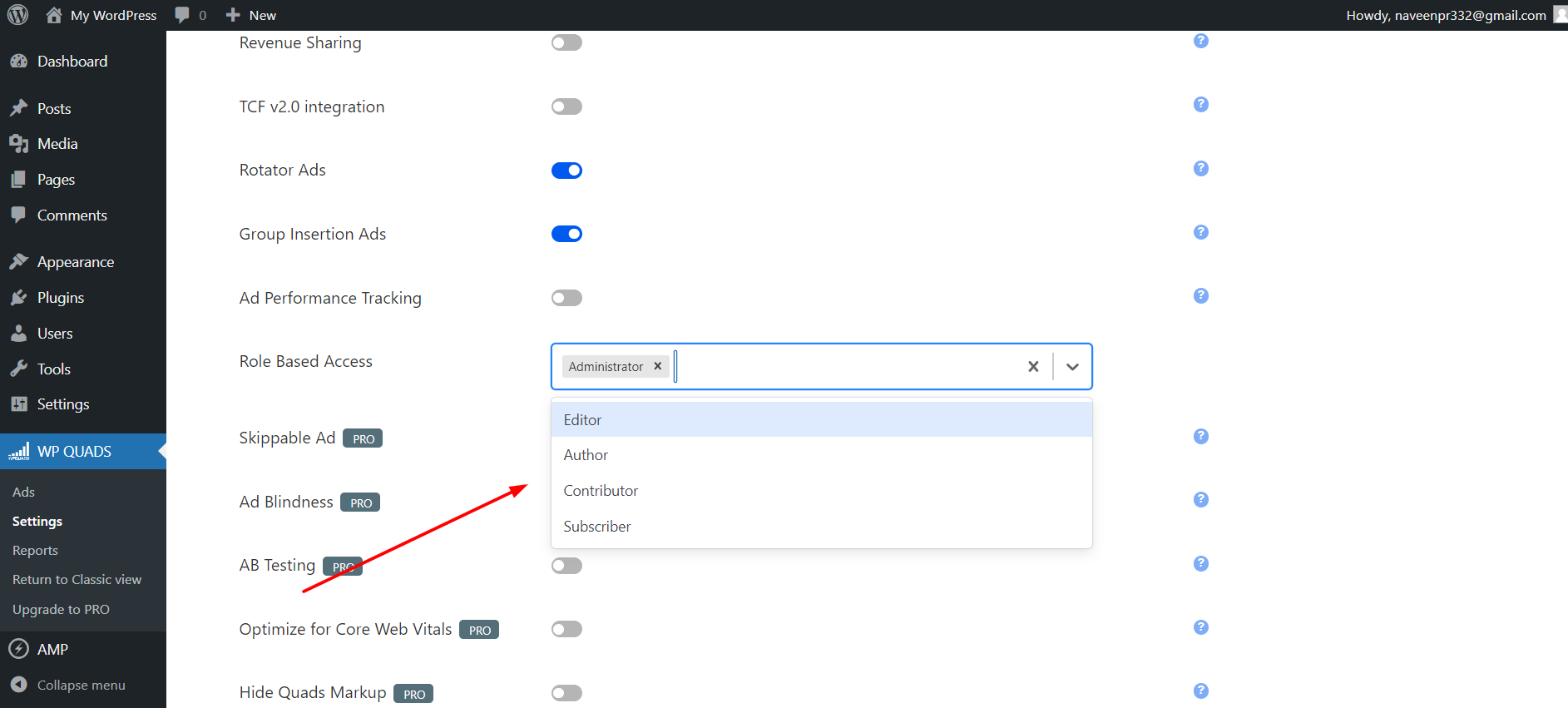
After this, only selected users can access the plugin’s setting dashboard.


